Friday, November 27, 2026
Watch Live
UPDATED
FUEL PRICE
27-NOV-2026
PETROL
▼ -1.00 PKR
Rs. 313.00/ltr
DIESEL
▼ -2.00 PKR
Rs. 346.00/ltr
Headlines
Petrol price reduced to Rs313, diesel to Rs346 per liter Your morning lemon water routine and its impact on fat loss Ocarina of Time remake receives first update to fix the "Malon's Friend" bug Pakistan weighs additional 500,000 tons of wheat imports for 2026-27 Yemen crisis, regional threats on agenda of Makkah pact in Islamabad meeting Sehar Khan stuns fans in golden hour couture Experts highlight five vegetables for better diabetes management Can trotters soup help women maintain strong bones and muscles? ‘Love Is Blind’ sparks fandom fervor for Jungkook’s reported song Singapore emerges as world's leading artificial intelligence hub SIUT launches primary health clinic in Kathore Pakistanis, Indians top list of new British citizens CAA allows PIA to use Saudia aircraft for 15 days Gold, silver prices rise in local and global markets Bilawal Bhutto calls for democratic reset of Pakistan's political system Local holiday announced in Islamabad and Rawalpindi on tomorrow Karachi traffic chaos as Shahrah-e-Faisal, Super Highway shut down Midair disturbance forces American Airlines flight to divert to Phoenix Kardashian sisters recall shocking results of botched Korean beauty treatment “Why are we being denied our democratic rights?” Fazlur Rehman calls for nationwide protests Petrol price reduced to Rs313, diesel to Rs346 per liter Your morning lemon water routine and its impact on fat loss Ocarina of Time remake receives first update to fix the "Malon's Friend" bug Pakistan weighs additional 500,000 tons of wheat imports for 2026-27 Yemen crisis, regional threats on agenda of Makkah pact in Islamabad meeting Sehar Khan stuns fans in golden hour couture Experts highlight five vegetables for better diabetes management Can trotters soup help women maintain strong bones and muscles? ‘Love Is Blind’ sparks fandom fervor for Jungkook’s reported song Singapore emerges as world's leading artificial intelligence hub SIUT launches primary health clinic in Kathore Pakistanis, Indians top list of new British citizens CAA allows PIA to use Saudia aircraft for 15 days Gold, silver prices rise in local and global markets Bilawal Bhutto calls for democratic reset of Pakistan's political system Local holiday announced in Islamabad and Rawalpindi on tomorrow Karachi traffic chaos as Shahrah-e-Faisal, Super Highway shut down Midair disturbance forces American Airlines flight to divert to Phoenix Kardashian sisters recall shocking results of botched Korean beauty treatment “Why are we being denied our democratic rights?” Fazlur Rehman calls for nationwide protests

How to deactivate Facebook account; step-by-step guide

How to deactivate Facebook account; step-by-step guide

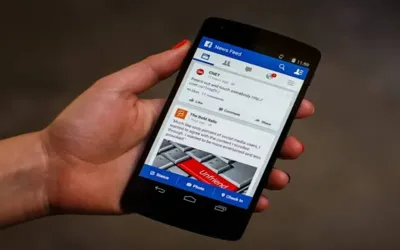
Facebook, with its extensive user base, has become a crucial aspect of our daily lives. Nevertheless, there comes a point when the incessant notifications and overwhelming influx of information become overwhelming.

If you're considering taking a break from the social media giant, here's a guide on how to deactivate your Facebook account.

Reasons to deactivate Facebook

In recent times, concerns about personal information security and the influence of social media on our choices have grown.

Deactivating your account provides a temporary escape from the virtual world, allowing you to reassess your social media usage.

Importance of deactivating instead of deleting

Before taking drastic measures like deleting your account, consider deactivation as a middle ground.

Deactivation ensures your data is hidden but not lost, offering the flexibility to return to Facebook when you're ready.

Step-by-step guide: deactivating your Facebook account

On Mobile:

Tap your profile picture in the top right corner.

Select "Settings & Privacy" > "Settings."

Click "Accounts Centre" > "Personal details" > "Account ownership and control."

Choose "Deactivation or deletion" and select the account to deactivate.

Confirm your password and click "Continue."

On PC:

Click your profile picture > "Settings & Privacy" > "Settings."

Select "Accounts Centre" > "Personal details" > "Account ownership and control."

Click "Deactivation or deletion" and choose the account to deactivate.

Confirm your password and click "Continue."

What happens when you deactivate your account

Deactivation hides your timeline, posts, and profile from public view but retains them on Facebook's servers.

Pages you own will also be deactivated. Consider assigning another admin if you wish to keep them active.

Reactivating your Facebook account

If you decide to return, the reactivation process is straightforward. Log in to your account on facebook.com, select "Reactivate Account," and your profile will be visible again, restoring all content and settings.

Prompt for reactivation after deletion request

If you've initiated the account deletion process, there's a 30-day period during which you can cancel the request and reactivate your account. Just log in and follow the prompts to undo the deletion.

Taking breaks from social media is essential for achieving a balanced life. Deactivating your Facebook account offers a break without permanently erasing your digital presence. Take charge of your social media experience and adopt a healthier online lifestyle.


Recommended