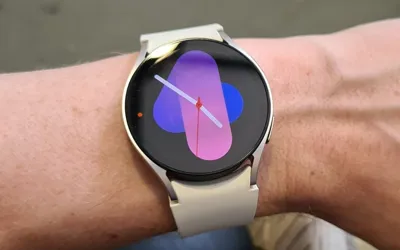
The Samsung Galaxy Watch series is highly regarded for its WearOS functionality, yet its battery life remains a significant limitation, lasting anywhere from one to two days on a full charge. Various factors, such as background applications and inactive internet connections, contribute to the drain on the device's battery. However, for users seeking to prolong their Galaxy Watch's battery life, here are some helpful strategies to increase standby time.
Turn off always-on display
The always-on display feature offers quick access to a user's Galaxy Watch, but it significantly drains the battery. According to the company, enabling the always-on display on the Galaxy Watch 5 and Watch 5 reduces battery life to approximately 30 hours, whereas disabling it extends battery life to around 40 hours on a single charge. To deactivate the always-on display on the Galaxy Watch, go to Settings, select 'Display', and toggle the 'Always on Display' option to off.
Reduce app notifications
Galaxy Watch battery may be drained because it’s continuously monitoring the user’s phone for alerts. If users are receiving a lot of alerts on their wristwatches from applications they don't use very frequently, there's an easy method to decrease them.
To do it, open the Wearable app on their phone, tap on ‘Watch Settings’, select ‘Notifications’, proceed to tap on ‘App notifications’, and the user will see a list of apps that can send notifications to their watch. Filter out the apps that you deem essential and are allowed on your watch. Moreover, the user will see a noticeable increase in their smartwatch’s battery life.
Disable NFC
While the Samsung Galaxy Watch enables users to quickly execute NFC payments through the Samsung Wallet app, many users opt to use their phones for purchases. Therefore, deactivating NFC on the watch can be advantageous. Additionally, if users have installed the NFC fast tile on their Galaxy Watch, they can simply swipe down from the top and tap the tile to disable the chip. Alternatively, users can disable this feature by accessing the 'Settings' app on their watch, navigating to 'Connections', and switching off 'NFC and contactless payments'.
Turn off continuous heart monitoring
If the user doesn't mind their Galaxy Watch not constantly recording the heart rate, the user may configure it to record it every 10 minutes or turn it off completely if there’s no requirement.
Whereas altering the option may limit the smartwatch's health-tracking capabilities, it can also help to preserve battery life. To alter the setting, open the Wearable app on your phone, hit Samsung Health, and then on the next screen, adjust the Heart Rate option to Every 10 minutes when still or Manual only.
Disable Hey Bixby detection
If users do not utilize voice assistants like Samsung Bixby on their smartwatches, it is recommended to deactivate the hot word key detection feature, which runs in the background. To disable this function, launch Bixby on the watch and access "Open Bixby Settings". This will prompt the voice assistant to present a screen where users can toggle off the 'Voice wake-up' keyword.